
What this guide helps you decide
Use the article to prepare questions, compare public listing signals, and avoid choosing a provider from one headline, rating, or search result alone.
- Why Cleaning Your Car Navigation Screen Matters
- Understanding Car Navigation Screen Materials
- How to Clean Car Navigation Screen Step-by-Step
- Confirm current hours, services, prices, appointment rules, and availability with the provider.
- Compare more than one listing when the decision affects safety, cost, or travel time.
- Use public ratings and photos as signals, not guarantees.
- Why-Cleaning-Your-Car-Navigation-Screen-Matters
- Understanding-Car-Navigation-Screen-Materials
- How-to-Clean-Car-Navigation-Screen-Step-by-Step
- Why-You-Should-Avoid-Harsh-Chemicals-on-Touchscreens
- Best-Tools-and-Cleaning-Products-for-Car-Screens
- Common-Mistakes-That-Damage-Car-Navigation-Displays
- Special-Cleaning-Tips-for-Modern-Infotainment-Systems
- Professional-Car-Care-Solutions-from-Gibby-Car-Wash
Why Cleaning Your Car Navigation Screen Matters
Your car’s navigation screen is one of the most frequently touched surfaces inside your vehicle. Every day, drivers tap directions, adjust music, answer calls, change settings, and interact with their infotainment system. Over time, fingerprints, dust, skin oils, and airborne particles build up, leaving the display cloudy and difficult to read.
Many vehicle owners search for How to Clean Car Navigation Screen – Avoiding Harsh Chemicals because modern touchscreen displays are sensitive. Unlike traditional glass surfaces, automotive screens often include special coatings designed to reduce glare, improve visibility, and support touch sensitivity.
Using the wrong cleaner can cause permanent damage. A product that works perfectly on household windows may strip protective layers from your car’s display, create streaks, or leave behind a sticky surface.
Learning the correct cleaning method helps protect your investment while keeping your driving experience comfortable and enjoyable.
Why a Clean Navigation Screen Improves Driving Comfort
A dirty touchscreen is not just a cosmetic problem. Smudges and fingerprints can reflect sunlight directly into your eyes, especially during morning or afternoon driving. Dust buildup can also make small text harder to read, forcing drivers to spend more time looking at the screen.
A clean display provides better visibility, easier interaction, and a more pleasant interior environment.
A Real-Life Example of Screen Damage
Many automotive detailers have seen customers bring in vehicles with cloudy infotainment displays caused by household cleaning products. One common situation involves drivers using glass cleaner containing ammonia because they assume a navigation screen is the same as a window.
After repeated cleaning, the screen may develop a dull appearance or uneven patches where the protective coating has been affected. The lesson is simple: car electronics require specialized care.
Understanding Car Navigation Screen Materials
Before learning How to Clean Car Navigation Screen, it helps to understand what you are actually cleaning. Modern vehicle displays are not simply pieces of glass.
Different Types of Car Display Surfaces
Most automotive navigation systems use layered display technology. These layers may include:
- Protective glass or plastic surface
- Anti-glare coating
- Touch-sensitive layer
- Display panel underneath
Each layer plays an important role. Aggressive chemicals or rough cleaning materials can affect these layers over time.
Why Touchscreens Need Special Care
Touchscreens are designed to detect electrical signals from your fingers. Excessive moisture, abrasive materials, and chemical residue may interfere with performance or reduce the lifespan of the display.
Gentle cleaning is not only safer but also more effective because it removes dirt without creating new problems.
How to Clean Car Navigation Screen Step-by-Step
The safest way to clean your car navigation screen is to use a gentle process that removes fingerprints and dust while protecting the display surface.
1. Turn Off the Screen Before Cleaning
Always turn off your vehicle’s infotainment system before cleaning. A dark screen makes dirt and fingerprints easier to see, and it also reduces the chance of accidentally activating buttons while wiping.
A cool screen is also easier to clean because heat can cause cleaning solutions to dry too quickly and leave streaks.
2. Remove Loose Dust First
Before wiping the surface, remove loose dust particles. Dust may contain tiny abrasive particles that can create micro-scratches when rubbed across the display.
A clean microfiber cloth works well because its soft fibers trap dust instead of pushing it around.
3. Use the Right Cleaning Solution
When cleaning a navigation screen, avoid spraying liquid directly onto the display. Instead, lightly dampen a microfiber cloth.
The goal is to remove fingerprints and oils without allowing liquid to enter the edges of the screen.
4. Wipe With Gentle Motions
Use light pressure and wipe in smooth movements. There is no need to scrub aggressively. Most fingerprints and dirt can be removed with patience and the correct technique.
For stubborn marks, repeat the process rather than applying more force.
5. Dry and Polish the Screen
After cleaning, use a dry section of the microfiber cloth to remove remaining moisture and create a clear finish.
A properly cleaned navigation screen should look bright and smooth without streaks or residue.
Why You Should Avoid Harsh Chemicals on Touchscreens
The most important rule when learning How to Clean Car Navigation Screen – Avoiding Harsh Chemicals is understanding which products can cause damage.
Common Chemicals That May Damage Screens
Many household cleaners contain ingredients that are too aggressive for automotive displays.
Products to avoid may include:
- Ammonia-based glass cleaners
- Strong disinfectants
- Bleach-based products
- Alcohol solutions with high concentration
- Multi-purpose household cleaners
These chemicals can weaken protective coatings and change the appearance of the screen surface.
Why Ammonia Is a Common Problem
Ammonia is excellent for cleaning some household glass surfaces, but automotive screens are different. It may gradually break down anti-glare coatings and create visible damage.
This is one reason professional auto detailers recommend using products specifically designed for vehicle interiors.
The Problem With Too Much Moisture
Even a safe cleaning solution can cause problems if used incorrectly. Excess liquid can seep into the edges of the display and potentially affect internal electronics.
Light moisture on a cloth is safer than spraying directly onto the screen.
Best Tools and Cleaning Products for Car Screens
The right tools make screen cleaning faster, safer, and more effective.
1. Microfiber Cloths
A high-quality microfiber cloth is one of the most important tools for maintaining your car’s navigation screen.
Unlike paper towels or rough fabrics, microfiber material is soft enough to protect delicate surfaces while effectively removing fingerprints.
2. Screen-Safe Cleaners
Products designed for electronics and automotive displays are usually formulated to clean without damaging protective coatings.
Always check product instructions and avoid using more cleaner than necessary.
3. Soft Detailing Brushes
A small soft brush can help remove dust from areas around buttons, screen edges, and air vents where cloths may not reach easily.
This approach is especially useful for vehicles with large touchscreen systems.
Common Mistakes That Damage Car Navigation Displays
1. Using Paper Towels
Paper towels may seem harmless, but many contain rough fibers that can create tiny scratches over time.
Microfiber cloths are a safer alternative.
2. Spraying Cleaner Directly on the Screen
Direct spraying increases the risk of liquid entering the screen edges or electronic components.
Always apply cleaning products to the cloth instead.
3. Pressing Too Hard
Touchscreens do not require heavy pressure to become clean. Excessive force can damage sensitive components.
A gentle technique provides better long-term results.
Special Cleaning Tips for Modern Infotainment Systems
New vehicles often feature larger displays with advanced functions. Some systems combine navigation, climate controls, entertainment, and vehicle settings into one touchscreen.
Cleaning Large Touchscreen Displays
Larger screens require extra attention because streaks are more noticeable. Work in sections and check the display from different angles to ensure complete cleaning.
Maintaining Screens With Frequent Use
Drivers who use navigation daily may need to clean their screen more often. Regular light cleaning is better than allowing heavy buildup that requires stronger effort.
Protecting Your Vehicle Interior Investment
Your infotainment system is an important part of your vehicle’s value. Proper maintenance helps preserve both appearance and function.
Professional Car Care Solutions from Gibby Car Wash
Keeping your navigation screen clean is one part of maintaining a comfortable and attractive vehicle interior. Professional car care services can help protect areas that require specialized attention, from touchscreen surfaces to complete interior detailing.
Gibby Car Wash provides car care solutions designed to help drivers maintain their vehicles with proper cleaning methods and quality products.
Keeping Your Car Screen Looking New
Understanding How to Clean Car Navigation Screen – Avoiding Harsh Chemicals helps you avoid expensive mistakes and keep your vehicle technology performing properly.
The best approach is simple: use gentle tools, avoid aggressive chemicals, clean regularly, and treat your touchscreen as a sensitive electronic component rather than ordinary glass.
For drivers who want professional-level vehicle care and reliable cleaning solutions, explore the services and products available through Gibby Car Wash. A properly maintained interior not only looks better but also creates a more enjoyable driving experience every day.
Related Car Wash Guides
Keep reading if you are still comparing service scope, estimate questions, maintenance needs, or listing quality.
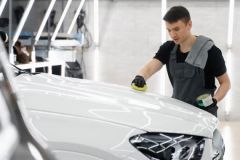 Why Wash Your Car Before Waxing or Sealing? Prep MattersLearn why you should wash your car before applying wax or sealant and how proper prep work improves shine, protection, and long-lasting results for your vehicle.
 Steam Car Wash Near Me for Interior Sanitizing Without WaterDiscover how a car wash near me that uses steam cleaning can sanitize your vehicle interior without water, remove odors, and provide an eco friendly deep cleaning solution.
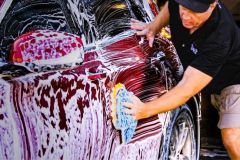 Best Car Wash for Chevy Equinox Plastic Trim CareDiscover how to choose the best car wash near me for Chevy Equinox models and prevent plastic trim drying streaks with proper washing and detailing techniques.
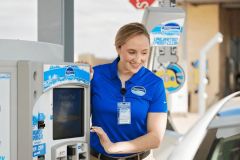 Car Wash Near Me With Fleet Account Management and ReportsDiscover how a car wash near me with fleet account management, online billing, and detailed reports helps businesses save time, control costs, and keep company vehicles clean.
 Best Car Wash for Convertible Tops Near Me
 Car Wash Near Me With Rain Repellent Add On BenefitsDiscover why a car wash near me with rain repellent add on offers better protection than basic wax. Learn how rain repellent coatings improve visibility, shine, and vehicle care.