
What this guide helps you decide
Use the article to prepare questions, compare public listing signals, and avoid choosing a provider from one headline, rating, or search result alone.
- Clean Car Touchscreens Without Damaging the Coating
- Quick answer
- Why careful cleaning matters
- Confirm current hours, services, prices, appointment rules, and availability with the provider.
- Compare more than one listing when the decision affects safety, cost, or travel time.
- Use public ratings and photos as signals, not guarantees.
Clean Car Touchscreens Without Damaging the Coating
Table of contents
Quick answer
To clean a car touchscreen, park safely, switch the display off, and let it cool. Use a clean, dry microfiber cloth with very light pressure. If the owner’s manual permits moisture, slightly dampen the cloth with the specified cleaner or distilled water; never spray the screen directly. Finish with a second dry cloth and check the display before driving.
Why careful cleaning matters
Modern infotainment screens may have anti-glare, anti-fingerprint, or other surface coatings. Harsh chemicals, abrasive cloths, and heavy rubbing can haze or scratch those layers. Liquid that runs into a bezel can also reach switches or electronics. The safest process therefore uses the least moisture and pressure that will remove the mark.
Cleaning is also a driving-safety task. Fingerprints and residue can increase glare, but trying to wipe a display while the vehicle is moving creates distraction. Complete the work only when the car is parked in a secure place.
Check the manual first
Look in the vehicle owner’s manual or the infotainment guide for display-cleaning instructions. The manufacturer may prohibit alcohol, ammonia, solvents, household glass cleaner, paper towels, or disinfecting wipes. Follow those model-specific directions even if a product claims to be safe for electronics.
If an aftermarket screen protector is installed, check its instructions too. A cleaner that is acceptable for bare glass may not suit a matte film or plastic protector.
Gather safe supplies
- Two clean, soft microfiber cloths reserved for interior surfaces
- Distilled water or a manufacturer-approved screen cleaner, only if permitted
- A soft detailing brush for dust around the bezel, if needed
- Good lighting so streaks and debris are visible
Inspect the cloth before use. A towel that previously touched wheels, paint, or the floor can carry grit. Shake it out away from the cabin or choose a fresh cloth.
Step-by-step cleaning method
- Park and power down. Set the parking brake, turn off the display, and wait until the screen is cool. A dark screen makes fingerprints easier to see.
- Remove loose dust. Gently pass a dry microfiber cloth across the surface. Do not press particles into the screen.
- Fold the cloth. Create several clean faces so removed oil is not spread back over the display.
- Add minimal moisture if allowed. Dampen a clean cloth away from the dashboard. It should feel barely moist and should not drip.
- Wipe lightly. Use short overlapping passes. Support your hand without leaning hard on the panel.
- Dry immediately. Buff with the second dry cloth using light strokes.
- Inspect and test. Check from several angles, then power the system on and confirm touch response before setting off.
Handle stubborn marks
For a dried splash or oily fingerprint, rest the barely damp cloth over the spot for a few seconds rather than scrubbing. Repeat with a clean section of cloth. If the residue does not lift, stop and consult the manufacturer or a qualified detailer. Persistent cloudiness may be coating damage rather than dirt.
What to avoid
- Do not spray liquid onto the display or into buttons and seams.
- Do not use paper towels, tissues, scrub pads, or dirty shop rags.
- Do not scrape residue with a fingernail, card, or razor.
- Do not use household glass cleaner unless the manual explicitly approves it.
- Do not clean a hot screen in direct sun.
- Do not activate menus or type while driving.
Aftercare checklist
- Screen is dry with no liquid pooled along the bezel
- No cleaner has reached nearby ports, vents, or switches
- Touch controls respond normally
- Display is free of new scratches or cloudy patches
- Cloths are washed separately from greasy detailing towels
Regular light dusting can prevent the need for aggressive cleaning. Clean hands and voice controls may also reduce fingerprint buildup.
Limits and warning signs
This method is general maintenance guidance, not a substitute for the vehicle’s manual. Stop using the display and arrange professional inspection if liquid enters the unit, the screen flickers, touch input becomes erratic, the panel lifts, or there is unusual heat or odor. Do not dismantle a dashboard display unless you are trained and authorized to do so.
Frequently asked questions
Can I use an alcohol wipe on a car touchscreen?
Only if the vehicle or screen manufacturer specifically permits it. Alcohol can affect some coatings, plastics, and protectors, so a generic electronics claim is not enough.
Is distilled water better than tap water?
When the manual allows a damp cloth, distilled water can reduce mineral spots. Use only a tiny amount on the cloth, never directly on the screen.
Can I use the microfiber towel from my exterior wash?
Use a separate clean interior cloth. Exterior towels can retain grit, wax, or chemicals that may scratch or smear the display.
Why does the screen still look cloudy after cleaning?
Residue may remain, but haze can also indicate a worn coating or damage. Stop repeated rubbing and ask the manufacturer or a qualified technician for advice.
Sources and evidence
Primary guidance should come from the cleaning and infotainment sections of your vehicle owner’s manual and any screen-protector instructions. The U.S. National Highway Traffic Safety Administration’s distracted-driving guidance supports completing device interactions while safely parked. Product labels provide material compatibility and handling limits; where instructions conflict, follow the vehicle manufacturer.
Next steps
Locate the model-specific instructions, set aside two clean microfiber cloths, and clean the cool, powered-down display with the minimum approved moisture. If the screen shows damage or behaves abnormally afterward, document the symptom and contact an authorized service center.
Related Car Wash Guides
Keep reading if you are still comparing service scope, estimate questions, maintenance needs, or listing quality.
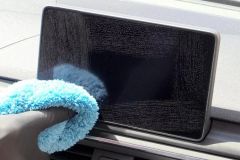 How to Clean Car Navigation Screen Without DamageLearn How to Clean Car Navigation Screen safely without harsh chemicals. Discover the best cleaning methods, tools, mistakes to avoid, and professional car care tips for keeping your touchscreen clear.
 Why Wash Your Car Before Waxing or Sealing? Prep MattersLearn why you should wash your car before applying wax or sealant and how proper prep work improves shine, protection, and long-lasting results for your vehicle.
 Steam Car Wash Near Me for Interior Sanitizing Without WaterDiscover how a car wash near me that uses steam cleaning can sanitize your vehicle interior without water, remove odors, and provide an eco friendly deep cleaning solution.
 Best Car Wash for Chevy Equinox Plastic Trim CareDiscover how to choose the best car wash near me for Chevy Equinox models and prevent plastic trim drying streaks with proper washing and detailing techniques.
 Car Wash Near Me With Fleet Account Management and ReportsDiscover how a car wash near me with fleet account management, online billing, and detailed reports helps businesses save time, control costs, and keep company vehicles clean.
 Best Car Wash for Convertible Tops Near Me