
What this guide helps you decide
Use the article to prepare questions, compare public listing signals, and avoid choosing a provider from one headline, rating, or search result alone.
- How to Clean Dashboard Screens and Touch Displays
- 1. Importance of Cleaning Dashboard Screens
- 2. Essential Cleaning Materials for Dashboard Screens
- Confirm current hours, services, prices, appointment rules, and availability with the provider.
- Compare more than one listing when the decision affects safety, cost, or travel time.
- Use public ratings and photos as signals, not guarantees.
How to Clean Dashboard Screens and Touch Displays
- 1. Importance of Cleaning Dashboard Screens
- 2. Essential Cleaning Materials for Dashboard Screens
- 3. Step-by-Step Process for Cleaning Your Dashboard
- 4. Common Mistakes to Avoid When Cleaning
- 5. Tips for Protecting Touch Displays After Cleaning
1. Importance of Cleaning Dashboard Screens
Your car's dashboard screen and touch displays are often the first things you interact with when you're behind the wheel, so keeping them clean is essential for both aesthetic and practical reasons. A dirty or smudged screen can reduce visibility, affect the functionality of the display, and ultimately distract you while driving.
1.1 Enhancing Visibility
A clean dashboard screen ensures optimal visibility, making it easier to read navigation maps, check the climate control, or use other essential features. Dirt, fingerprints, and dust can obscure the display, leading to frustration and safety risks. Keeping your screen free of smudges is particularly important during sunny days when reflections can cause glare.
1.2 Maintaining Functionality
Touchscreens are sensitive to dirt and oils that build up from regular use. Not cleaning them regularly can impact the responsiveness of the touch functions, leading to sluggish or unresponsive behavior. Proper cleaning helps maintain the effectiveness of the screen, ensuring that your dashboard remains easy to use for a long time.
2. Essential Cleaning Materials for Dashboard Screens
To clean your dashboard screen properly, it's important to use the right materials. Using abrasive cloths or harsh chemicals can cause scratches or damage to the screen. Here’s a list of essential cleaning materials that will help keep your dashboard displays in top condition.
2.1 Microfiber Cloth
Microfiber cloths are a must when cleaning dashboard screens because they are gentle and won’t scratch the surface. They also help lift dust and oil without leaving behind lint or fibers. Always use a clean, dry microfiber cloth to wipe down your screen.
2.2 Screen Cleaner or Water-Based Solution
For a more thorough clean, use a screen-safe cleaner specifically designed for electronics. If you don’t have a commercial cleaner, you can make your own water-based solution (mix distilled water with a tiny amount of mild dish soap). Avoid using glass cleaners or alcohol-based solutions, as they can damage the screen coating.
2.3 Compressed Air
For hard-to-reach crevices, such as around the edges of the screen or dashboard, using compressed air can help remove dust and dirt without causing any damage. Be sure to use short bursts and hold the can upright to avoid any liquid coming out.
3. Step-by-Step Process for Cleaning Your Dashboard
Now that you have the right materials, here’s a simple, step-by-step process to clean your dashboard screens and touch displays effectively.
3.1 Power Off Your Vehicle
Before you begin cleaning, make sure your car is turned off. This will prevent any accidental touches to the screen and allow you to clean without worrying about activating any features on the display.
3.2 Dust the Screen
Start by using a dry microfiber cloth to gently dust off the screen. This removes any surface dust and debris that could scratch the screen when you start wiping it down. Use light, circular motions to ensure the dust doesn’t settle back onto the screen.
3.3 Apply Cleaner to the Cloth
Never apply the cleaner directly to the screen. Instead, lightly dampen your microfiber cloth with the screen cleaner or your water-based solution. The cloth should be damp, not soaking wet. If you're using a homemade solution, make sure it is properly diluted to avoid any residue.
3.4 Wipe the Screen
Gently wipe the screen in a circular motion, applying light pressure. Start from the top and work your way down to avoid pushing dirt back onto the cleaned areas. For areas around the edges, you can use compressed air to blow out any debris before wiping with the cloth.
3.5 Dry the Screen
After you’ve wiped down the screen, use a dry microfiber cloth to buff away any remaining moisture and ensure that the surface is streak-free. Make sure to check for smudges under different lighting conditions, especially during daylight.
4. Common Mistakes to Avoid When Cleaning
Cleaning your dashboard displays can be tricky if you’re not careful. Here are some common mistakes people make and how to avoid them:
4.1 Using Harsh Chemicals
Avoid using glass cleaners, ammonia, or alcohol-based products, as they can damage the screen coating and cause discoloration. Stick to products specifically designed for electronics or mild water-based solutions.
4.2 Using Rough Cloths
Cloths with rough textures or abrasive surfaces can scratch your touchscreen. Always use a microfiber cloth to ensure a gentle, scratch-free clean.
4.3 Applying Cleaner Directly to the Screen
Spraying cleaner directly onto the screen can cause moisture to seep into the edges or components of the display, which could lead to damage. Always apply the cleaner to the cloth first.
5. Tips for Protecting Touch Displays After Cleaning
Once your dashboard screen is clean, it’s important to protect it to keep it looking new for longer. Here are some tips for maintaining your touch displays:
5.1 Use a Screen Protector
To minimize the risk of scratches and smudges, consider applying a screen protector to your dashboard screen. This protective layer will shield the screen from fingerprints, dust, and minor scratches, keeping it clean and easy to wipe down.
5.2 Keep the Dashboard Free from Direct Sunlight
Prolonged exposure to direct sunlight can cause the screen to fade and lose its clarity over time. When possible, try to park in shaded areas or use a sunshade to protect the dashboard from the sun’s harsh rays.
5.3 Regularly Clean the Screen
Regular maintenance is key to preventing buildup on your dashboard screen. Wipe down the screen at least once a week to keep dust and grime from accumulating, ensuring your screen stays in optimal condition.
Related Car Wash Guides
Keep reading if you are still comparing service scope, estimate questions, maintenance needs, or listing quality.
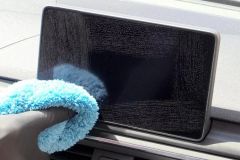 How to Clean Car Navigation Screen Without DamageLearn How to Clean Car Navigation Screen safely without harsh chemicals. Discover the best cleaning methods, tools, mistakes to avoid, and professional car care tips for keeping your touchscreen clear.
 Why Wash Your Car Before Waxing or Sealing? Prep MattersLearn why you should wash your car before applying wax or sealant and how proper prep work improves shine, protection, and long-lasting results for your vehicle.
 Steam Car Wash Near Me for Interior Sanitizing Without WaterDiscover how a car wash near me that uses steam cleaning can sanitize your vehicle interior without water, remove odors, and provide an eco friendly deep cleaning solution.
 Best Car Wash for Chevy Equinox Plastic Trim CareDiscover how to choose the best car wash near me for Chevy Equinox models and prevent plastic trim drying streaks with proper washing and detailing techniques.
 Car Wash Near Me With Fleet Account Management and ReportsDiscover how a car wash near me with fleet account management, online billing, and detailed reports helps businesses save time, control costs, and keep company vehicles clean.
 Best Car Wash for Convertible Tops Near Me