
What this guide helps you decide
Use the article to prepare questions, compare public listing signals, and avoid choosing a provider from one headline, rating, or search result alone.
- 1. Why Cleaning Dashboard Screens and Touch Displays Is Important
- 2. Tools and Materials Needed for Cleaning
- 3. Step-by-Step Guide to Cleaning Car Dashboard Screens
- Confirm current hours, services, prices, appointment rules, and availability with the provider.
- Compare more than one listing when the decision affects safety, cost, or travel time.
- Use public ratings and photos as signals, not guarantees.
- Why-Cleaning-Dashboard-Screens-and-Touch-Displays-Is-Important
- Tools-and-Materials-Needed-for-Cleaning
- Step-by-Step-Guide-to-Cleaning-Car-Dashboard-Screens
- Common-Mistakes-to-Avoid-When-Cleaning-Touch-Displays
- How-to-Protect-Your-Dashboard-Screens-and-Touch-Displays-Post-Cleaning
- Real-World-Tips-and-Tricks-from-Experts
1. Why Cleaning Dashboard Screens and Touch Displays Is Important
In today’s cars, dashboard screens and touch displays are integral to the driving experience. They control everything from navigation to climate settings. But over time, these screens can accumulate dust, fingerprints, smudges, and even stains. Keeping them clean is not just about aesthetics—it’s also about functionality and visibility.
1.1 Maintaining Clarity and Performance
Dirty screens can hinder your ability to read important information, like navigation directions or vehicle performance. A clean screen ensures that you can always read the display clearly, especially while driving.
1.2 Preventing Damage
Continuous exposure to grime can, over time, wear down the coating on your screens, leading to scratching or discoloration. Regular cleaning prevents this damage and extends the life of your touch displays.
2. Tools and Materials Needed for Cleaning
Before you dive into cleaning your car’s dashboard screens, it’s important to gather the right materials. Using harsh chemicals or abrasive tools can damage the sensitive surface of touch displays. Here’s what you’ll need for a safe and effective cleaning:
2.1 Microfiber Cloth
A microfiber cloth is essential for cleaning without leaving streaks or scratching the screen. It gently picks up dust and grime while ensuring that no residue is left behind.
2.2 Screen Cleaner or Isopropyl Alcohol
While you should avoid using household cleaners, a screen-specific cleaner or a diluted solution of isopropyl alcohol (preferably 70%) works best. These cleaners are gentle enough for screens but effective at removing fingerprints and oils.
2.3 Soft Brush or Compressed Air
For dust or debris stuck in corners or vents, a soft brush or a can of compressed air can help remove it before you clean the surface of the screen.
2.4 Cotton Swabs
For smaller, hard-to-reach spots, cotton swabs dipped lightly in cleaning solution can help target the dirt without damaging the screen.
3. Step-by-Step Guide to Cleaning Car Dashboard Screens
Cleaning your dashboard screen is easy if you follow the right steps. Here’s a step-by-step guide to ensure your car’s screens remain spotless and functional:
3.1 Turn Off the Car and Screen
Before you begin, make sure the car and the screen are turned off to avoid accidental touches or activating the screen during cleaning.
3.2 Dust Off the Screen
Use a soft brush or compressed air to gently remove any dust or debris from the screen. This step is crucial to avoid scratching the screen while wiping it down.
3.3 Wipe with a Microfiber Cloth
Lightly dampen the microfiber cloth with a small amount of screen cleaner or isopropyl alcohol. Gently wipe the screen in a circular motion, starting from the edges and moving toward the center. This prevents spreading dirt across the screen.
3.4 Clean Around the Edges
Use a cotton swab for tight corners or around buttons. Dampen the swab slightly, and gently clean the edges of the screen or any grooves where dirt might accumulate.
3.5 Dry the Screen
Use a dry section of your microfiber cloth to buff the screen, ensuring it’s completely dry and free of streaks.
4. Common Mistakes to Avoid When Cleaning Touch Displays
While cleaning seems straightforward, there are a few common mistakes that many car owners make when cleaning dashboard screens and touch displays. These can lead to damage or less effective cleaning:
4.1 Using Abrasive Cloths or Materials
Avoid using paper towels, rough cloths, or anything abrasive. These materials can scratch the surface of the screen, leaving permanent marks.
4.2 Using Harsh Chemicals
Harsh cleaners, like ammonia-based products or window cleaners, can damage the screen’s protective coating. Always use products that are specifically designed for screens or diluted alcohol.
4.3 Over-Wetting the Cloth
Never spray cleaning solutions directly onto the screen. Instead, always dampen the cloth slightly. Excess moisture can seep into the edges of the screen and cause damage.
5. How to Protect Your Dashboard Screens and Touch Displays Post-Cleaning
After you’ve cleaned your car’s dashboard screens, it’s important to take steps to keep them in great condition for as long as possible:
5.1 Apply a Screen Protector
If your car’s screen doesn’t already have one, consider applying a screen protector. These thin films shield the screen from scratches, fingerprints, and smudges, reducing the need for frequent cleaning.
5.2 Regular Cleaning Schedule
Set a regular cleaning schedule—perhaps once every few weeks—to prevent buildup. Keeping up with small cleans can make deep cleans much easier and more effective.
5.3 Avoid Eating and Drinking Near the Screen
Try to avoid eating or drinking near your dashboard screen to reduce the likelihood of sticky fingerprints or spills, which can damage the display.
6. Real-World Tips and Tricks from Experts
Car owners and experts agree that maintaining a clean dashboard screen can significantly enhance the in-car experience. Here are a few additional tips to help maintain your touch displays:
6.1 Use Anti-Static Cloths
Some microfiber cloths are treated to reduce static build-up, which can attract dust. Using anti-static cloths for cleaning can keep your screen cleaner for longer periods.
6.2 Clean Before the Screen Gets Too Dirty
Cleaning your dashboard screen regularly before it gets too grimy will prevent oils from settling too deeply into the screen. Regular light cleaning is much easier than waiting for heavy buildup.
6.3 Expert Car Wash Services
If you’re unsure about cleaning your screen yourself, professional services like Gibby Car Wash offer comprehensive car detailing, including screen cleaning. A professional can ensure your touch displays are treated with care and precision.
By following these tips, you can keep your dashboard screens and touch displays clean, functional, and looking as good as new for years to come.
Related Car Wash Guides
Keep reading if you are still comparing service scope, estimate questions, maintenance needs, or listing quality.
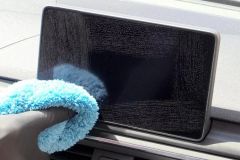 How to Clean Car Navigation Screen Without DamageLearn How to Clean Car Navigation Screen safely without harsh chemicals. Discover the best cleaning methods, tools, mistakes to avoid, and professional car care tips for keeping your touchscreen clear.
 Why Wash Your Car Before Waxing or Sealing? Prep MattersLearn why you should wash your car before applying wax or sealant and how proper prep work improves shine, protection, and long-lasting results for your vehicle.
 Steam Car Wash Near Me for Interior Sanitizing Without WaterDiscover how a car wash near me that uses steam cleaning can sanitize your vehicle interior without water, remove odors, and provide an eco friendly deep cleaning solution.
 Best Car Wash for Chevy Equinox Plastic Trim CareDiscover how to choose the best car wash near me for Chevy Equinox models and prevent plastic trim drying streaks with proper washing and detailing techniques.
 Car Wash Near Me With Fleet Account Management and ReportsDiscover how a car wash near me with fleet account management, online billing, and detailed reports helps businesses save time, control costs, and keep company vehicles clean.
 Best Car Wash for Convertible Tops Near Me