
What this guide helps you decide
Use the article to prepare questions, compare public listing signals, and avoid choosing a provider from one headline, rating, or search result alone.
- 1. Why Cleaning Dashboard Screens and Touch Displays is Important
- 2. Best Methods to Clean Touch Screens Safely
- 3. Tools and Supplies Needed for Cleaning
- Confirm current hours, services, prices, appointment rules, and availability with the provider.
- Compare more than one listing when the decision affects safety, cost, or travel time.
- Use public ratings and photos as signals, not guarantees.
- 1. Why Cleaning Dashboard Screens and Touch Displays is Important
- 2. Best Methods to Clean Touch Screens Safely
- 3. Tools and Supplies Needed for Cleaning
- 4. Common Mistakes to Avoid When Cleaning Touchscreens
- 5. Tips for Maintaining Your Dashboard Screen
1. Why Cleaning Dashboard Screens and Touch Displays is Important
With more and more cars incorporating advanced touchscreens and digital displays, keeping your dashboard screen clean has become an essential part of vehicle maintenance. Regular cleaning not only helps maintain the aesthetic appeal of your car but also ensures the functionality and longevity of the screens.
Dirty touchscreens can reduce visibility, hinder responsiveness, and lead to scratches or permanent damage over time. Oil, fingerprints, dust, and other debris can accumulate on the surface, affecting both the look and performance of your dashboard. By taking the time to clean these screens properly, you can enjoy a clearer, more responsive interface and prevent long-term damage.
2. Best Methods to Clean Touch Screens Safely
When it comes to cleaning dashboard screens and touch displays, it’s crucial to use the right methods to avoid damaging the sensitive surface. Here are the best steps to clean your screens safely:
1. Power Off the Screen: Always turn off the screen before cleaning to avoid accidental touch or short circuits.
2. Use a Microfiber Cloth: Microfiber cloths are soft and non-abrasive, making them perfect for wiping off fingerprints and dust without scratching the screen. Avoid using paper towels or rough cloths, as they can leave lint or scratch the surface.
3. Damp Cloth with Water: Lightly dampen the microfiber cloth with water (avoid soaking it) and gently wipe the screen. This will help remove most smudges without harming the screen. Never spray water directly onto the screen.
4. Use a Screen Cleaner: If you need a stronger cleaner, use a cleaner specifically designed for electronics and screens. Avoid harsh chemicals like ammonia or bleach, which can damage the display.
5. Dry the Screen: After cleaning, use a dry microfiber cloth to gently wipe the screen, removing any remaining moisture and ensuring it’s streak-free.
3. Tools and Supplies Needed for Cleaning
To clean your dashboard screens and touch displays properly, you’ll need a few essential tools. Here’s what you’ll need:
1. Microfiber Cloth: A soft, lint-free cloth is crucial for wiping the screen clean without scratching it.
2. Screen Cleaner: Invest in a screen cleaner that’s safe for touch displays. These cleaners are specially formulated to clean without leaving residue or causing damage.
3. Compressed Air: For hard-to-reach areas around the edges of the screen, a can of compressed air can help blow away dust or debris.
4. Distilled Water: If you prefer a DIY cleaning solution, mix distilled water with a small amount of mild soap for a gentle cleaning option.
5. Cotton Swabs: For cleaning in tight corners or around buttons, use a cotton swab lightly dampened with screen cleaner or water.
4. Common Mistakes to Avoid When Cleaning Touchscreens
While cleaning your car’s dashboard screen may seem straightforward, there are some common mistakes to avoid to ensure the longevity of your device:
1. Using Harsh Chemicals: Never use harsh cleaning chemicals like window cleaners, ammonia, or bleach, as these can damage the screen and coating.
2. Using Rough Cloths or Paper Towels: Avoid paper towels, rough fabrics, or tissues, which can scratch the screen and leave lint behind.
3. Getting the Screen Too Wet: When cleaning, never apply water or cleaning solution directly to the screen. Always dampen the cloth, not the screen.
4. Scrubbing Too Hard: Excessive pressure can cause screen damage. Always use gentle, circular motions when wiping the screen clean.
5. Ignoring the Edges: Dust and dirt can accumulate around the edges of the screen, so make sure to clean these areas too, using compressed air or a cotton swab.
5. Tips for Maintaining Your Dashboard Screen
Regular maintenance of your dashboard screen can help extend its lifespan and keep it looking great. Here are some tips to maintain your screen:
1. Avoid Touching the Screen Excessively: The more you touch your screen, the more fingerprints and oils will accumulate. Try to minimize direct contact with the screen.
2. Use a Screen Protector: Just like your phone, consider using a screen protector for your dashboard to guard against scratches, dust, and fingerprints.
3. Park in the Shade: Prolonged exposure to direct sunlight can cause the screen to overheat or become damaged. Whenever possible, park in the shade or use a sunshade for additional protection.
4. Keep It Clean Regularly: Incorporate screen cleaning into your routine car maintenance schedule. Regular, gentle cleaning can prevent buildup and ensure that the screen remains in good condition.
Taking care of your car’s dashboard screen is an easy yet essential part of vehicle maintenance. By using the right cleaning methods and tools, you can ensure your touch displays stay clear, responsive, and free from damage for years to come. For the best car cleaning products and services, check out Gibby Car Wash, where we provide top-quality products to help keep your car—and its screens—looking brand new.
Related Car Wash Guides
Keep reading if you are still comparing service scope, estimate questions, maintenance needs, or listing quality.
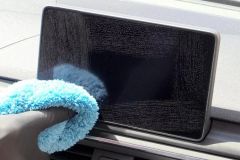 How to Clean Car Navigation Screen Without DamageLearn How to Clean Car Navigation Screen safely without harsh chemicals. Discover the best cleaning methods, tools, mistakes to avoid, and professional car care tips for keeping your touchscreen clear.
 Why Wash Your Car Before Waxing or Sealing? Prep MattersLearn why you should wash your car before applying wax or sealant and how proper prep work improves shine, protection, and long-lasting results for your vehicle.
 Steam Car Wash Near Me for Interior Sanitizing Without WaterDiscover how a car wash near me that uses steam cleaning can sanitize your vehicle interior without water, remove odors, and provide an eco friendly deep cleaning solution.
 Best Car Wash for Chevy Equinox Plastic Trim CareDiscover how to choose the best car wash near me for Chevy Equinox models and prevent plastic trim drying streaks with proper washing and detailing techniques.
 Car Wash Near Me With Fleet Account Management and ReportsDiscover how a car wash near me with fleet account management, online billing, and detailed reports helps businesses save time, control costs, and keep company vehicles clean.
 Best Car Wash for Convertible Tops Near Me